Organize your saved Instagram Reels around the questions you will ask later. Give recurring subjects a clear home, keep searchable details for recommendations you want to reuse and review the collections connected to your next real plan. You can begin with new saves and a handful of older favorites; sorting your entire history is optional.
A good collection helps you choose dinner, find something to read or plan an afternoon. Choose a name you will understand on that next visit. A complicated filing rule adds another thing to remember before you can find the save.
There is no universally correct number of folders. Someone who mostly saves baking ideas may need several food collections. Someone planning one trip may prefer a single temporary collection containing food, walks and museums. Start with the decisions you actually make.
Find the point where your current system becomes awkward
Before creating new collections, think of the last save you wanted to use. Where did the search become difficult?
Maybe the item was in a large “Food” collection and every cover looked similar. Perhaps you had collections for recipes, restaurants, travel and weekends, and could not remember which one contained a café. Or you remembered a word someone said, while none of your folder names captured it.
Those situations need different repairs:
| The difficulty | A useful change | What extra folders will not fix |
|---|---|---|
| One collection contains unrelated activities | Split it around a recurring decision | Missing words inside a video |
| Several collections have overlapping names | Clarify their purpose or combine them | Unclear reasons for saving |
| A spoken detail is hard to retrieve | Keep processed text or a checked note | A category too broad to identify the item |
| Old and upcoming plans are mixed together | Give the current plan a clear home | Outdated source information |
| Filing every new item takes too long | Simplify the choices | An overly ambitious cleanup habit |
Fix the part of your library that has already made a useful save difficult to find. You can leave the rest alone.
Choose a collection structure you will remember
Choose a starting structure that matches how you return to saves. These approaches can work together, provided you do not create several competing filing systems for the same small set.
Organize by subject when you browse a subject often
Recipes, books, interiors and running routes are recognizable topics. Subject collections work when you naturally ask, “What did I save about baking?”
Make the names specific enough to help without guessing every future distinction. If nearly all your food saves are simple dinners, “Weeknight meals” is clearer than a dozen collections for individual ingredients. If baking is a serious interest, separating bread from desserts may genuinely help.
A subject collection does not have to be small to be useful. It needs a workable way to find the particular item. Text search and a category can complement each other: open food to browse, search miso when you remember an ingredient.
Organize by action when you need to choose what to do
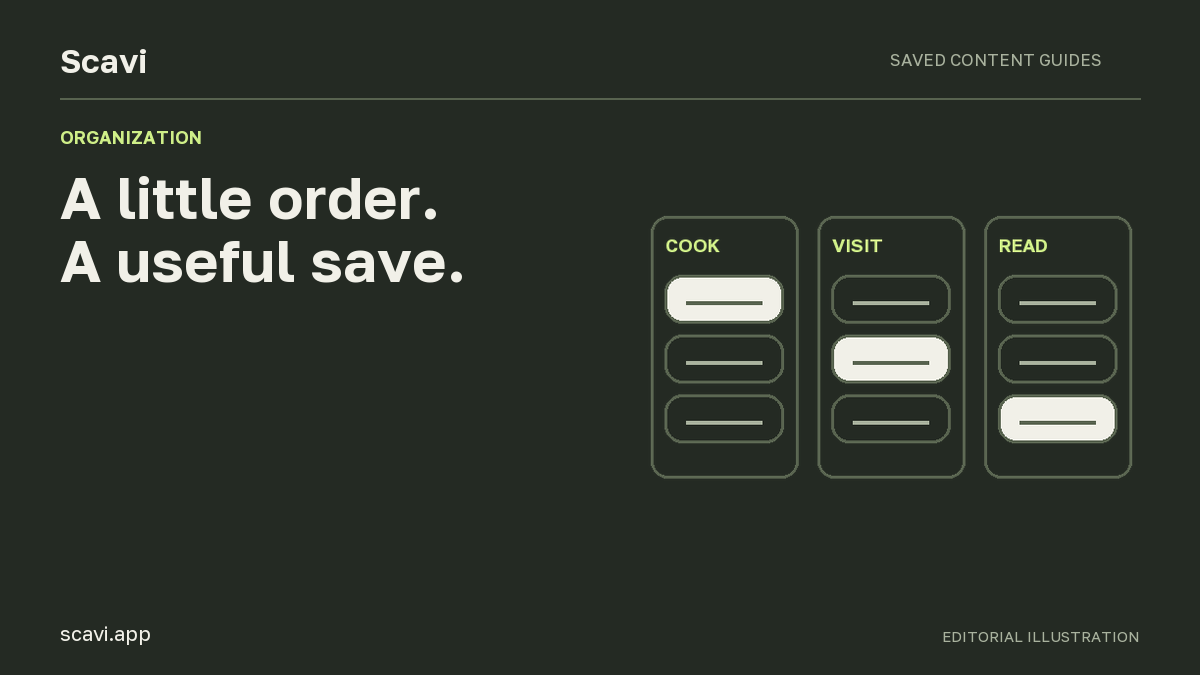
“Cook,” “Read” and “Visit” answer different questions from topic labels. A post about a café and a post about a walking route can both belong to a plan to go out, even though their subjects differ.
Use plain language that suits your life: “Dinners this week,” “Books to check” or “Ideas for rainy afternoons.” These names supply context that a generic label such as “Inspiration” leaves out.
Be careful with an all-purpose “Try” collection. If it absorbs almost everything, you have recreated an unsorted inbox with a nicer name. Split it only when you repeatedly need a particular distinction, such as things to cook versus places to visit.
Organize around a specific plan when the context has an end
A collection for an upcoming trip can contain accommodation ideas, breakfast recommendations and walks. Their shared purpose is the trip, which may matter more than their topics.
Once the plan is over, decide which saves remain useful. A favorite recipe might deserve a longer-lived home; a temporary opening-hours announcement may not. You can leave an old trip collection as a record if you enjoy it, without keeping it at the center of your current planning.
These are personal organization choices. They are not claims that Instagram or Scavi automatically creates project states, archives completed plans or knows which recommendation you have used.
Make collection names do some work
Try naming a collection after the question it helps answer. “Lunch near work” tells you more than “Places 2.” “Lisbon weekend” is useful if that is the trip you are planning. A name only needs to be understandable to you when the original excitement has faded.
Write a one-sentence rule for any pair you keep confusing. For example:
-
Weeknight meals: things I could reasonably cook after work.
-
Weekend cooking: recipes I want to spend more time on.
If you cannot explain the boundary simply, consider combining the collections. One clearly named folder can be easier to use than two with an uncertain boundary.
Decide what you will do with an ambiguous item. A restaurant Reel might concern a trip and your general interest in food. Choose the home you are most likely to visit for that recommendation. If you want another retrieval route, use a clear text clue rather than relying on remembering every place it might have been filed.
Keep the choice quick enough for casual browsing. If each Reel starts a lengthy debate about where it belongs, simplify the collection names or their boundaries.
Keep an easy route for new saves
Instagram's native collections can remain your home for posts you mainly recognize visually. Open Saved from your profile menu and use the collection controls available in your app to group the relevant items. When saving a Reel, look for the current save or collection option shown on your account.
Exact menus can differ between versions, so the Instagram Help Center entry on saving posts is a useful reference. Confirm current controls before making large changes to your collection.
For a recommendation you want to search by words from the video, consider adding the public Reel to Scavi as well. Scavi can process accessible speech, make a short description and organize processed saves. You choose which supported items to add.
The two collection systems remain separate. A folder created in Instagram does not appear automatically in Scavi, and moving a Scavi save does not rearrange Instagram Saved. Scavi does not currently provide a bulk import of your existing Instagram bookmark history.
This lets you be selective. Keep casual entertainment where it already fits, and create searchable records for the information you expect to use.
Work through a small library before designing a large one
The following is an illustrative sorting exercise, not a tested user story. Imagine your recent saves include these items:
| Save | Why you kept it | A useful home | Detail worth preserving |
|---|---|---|---|
| A lentil salad Reel | Lunch that can be packed for work | Weeknight meals | Dish name and the remembered ingredient |
| A café tour | Breakfast during an upcoming trip | Lisbon weekend | Verified café name and area |
| A novel recommendation | Decide what to read next | Books to check | Title, author and source |
| A coastal walk | An option for that same trip | Lisbon weekend | Route name and practical context |
| A long bread demonstration | Learn a technique when you have time | Weekend cooking | The specific technique and source |
| A room makeover | Enjoy the visual look | Interiors | Creator and visual reference |
| A Telegram post about a nearby event | Possibly go this weekend | Weekend places | Date checked at the source |
Notice that a trip collection crosses subjects, while the two food collections separate occasions. You can mix these approaches when their purpose is clear to you; the collections only need to serve your own decisions.
Now take the difficult case: a Reel about a café that also demonstrates a pastry recipe. Ask why you saved this particular item. If the answer is “to visit during the trip,” the trip collection makes sense. If you want to make the pastry, the cooking context matters more. The right home follows your intended use.
Suppose you only remember the café's turquoise doorway. A title or category may not help much. Keep the original visual reference. If you verify the name and write it into a note, you have added another way to recognize it later. Scavi does not currently infer that doorway through visual search or read the sign through OCR.
For a separate note, make the connection explicit: include the source link and enough description to identify the recommendation. A text note sent to the Scavi bot is a separate saved item; it is not automatically attached to the earlier Reel.
Use automatic organization as a starting point
A single video can contain several subjects, and the reason you kept it may be personal. Automatic organization can identify cooking in a café Reel while you were thinking about a trip. That does not make the content useless; it means a general category cannot always infer your purpose.
In Scavi, inspect the assigned or suggested collections and use the available manual collection controls when you want a different home. Let automation reduce repetitive classification, then make the small corrections that matter to your own plans.
Do not spend all your time debating whether one item should be “Food” or “Travel.” Check whether you can retrieve it by a name, word or recognizable description. The category provides a browsing route; text provides another.
A search index is not a substitute for checking the source. If a restaurant name is misrecognized or an ingredient was never spoken, even a sensible collection assignment will not create the missing information. The saved-Reel search guide explains how to inspect those cases.
Deal with the old archive in manageable pieces
You can improve future saves without clearing the backlog. Begin with the next item you want to use and any older favorites you can identify easily.
One approach is to choose a single useful batch: recent dinner ideas, recommendations for a trip you are actually taking or books you want to consider this month. Put those into the new structure. Leave unrelated old saves where they are until you have a reason to revisit them.
Another approach is to organize on retrieval. When you finally find an old Reel, check whether it belongs in a clear collection or deserves a searchable note. The work then happens on an item you already know matters.
Neither approach requires deleting the rest. Avoid broad cleanup just to achieve an attractive empty inbox. A save you cannot judge quickly can remain in place while you improve the part of the library you use.
If the backlog is full of near-duplicates, keep the decision practical. Which one has the clearest instructions or most useful source? Make a deliberate choice before removing anything. Do not assume Scavi can merge every related save, rewrite your old collections or import them automatically.
Review saves when you are about to use them
A review is easier to sustain when it connects to an ordinary decision. Before planning meals, open the relevant food collection. Before a weekend out, browse nearby places. Before a trip, check the recommendations attached to that trip.
Choose something to do, then verify the information needed to do it. A café's hours can change. A recipe summary can omit a step. A saved event announcement can become outdated. Open the original before relying on details that may have changed or been omitted from the saved description.
Afterwards, decide whether the item still helps you. A recipe you enjoyed may stay for repeated use. A one-time recommendation may remain as a memory or lose its purpose. You can make that decision manually without pretending every save must move through a built-in task pipeline.
When reviewing stops being useful, simplify. If you spend the whole session moving items and never select anything, the process may be serving the folder structure rather than your plans.
Signs that the system needs a small adjustment
You repeatedly open two collections for the same question. Their boundary may be unclear. Give them a sharper purpose or combine them.
You keep creating a new folder for one item. Try an existing broader home first. A precise name in searchable text may supply the distinction you need.
Everything goes into one catch-all collection. Reduce the choices to a few categories you actually understand, then ask which recurring decision the catch-all is hiding.
You can find the item but not the useful detail. This is an information problem. Check the caption, transcript and original video. More categories will not supply missing quantities or read a visual-only sign.
The structure worked for a past trip but gets in the way now. Keep the old collection if you value it, and give the current plan its own clear route. Your library can change with your life.
Common questions about organizing saved Reels
How many collections should I start with?
Use enough to separate recurring choices, then add distinctions when you need them. A fixed count makes little sense across people who save very different material. Start with the subjects or plans you already return to.
Should I use topics or actions?
Topics work for browsing an interest; actions work for choosing what to do. A trip collection can usefully cross topics. Choose names you expect to remember and keep overlapping systems light.
Will automatic collections get every item right?
No. A video's apparent subject and your personal reason for saving it can differ. Check the assignment and use manual controls for the distinctions you care about.
Can Scavi reorganize my existing Instagram Saved history?
No. Scavi organizes supported items you add to Scavi. It does not automatically import or synchronize your native Instagram collections.
Do I have to clean up everything before using the new structure?
No. Start with new recommendations or one relevant batch. Organizing a save when you return to it is a reasonable way to improve the archive gradually.